


The Phone Reset Kit
The Phone Reset Kit
Couldn't load pickup availability
- Visa payment method
- Master payment method
- American express payment method
- Apple pay payment method
- Paypal payment method
- Discover payment method
Make one phone habit more deliberate.
You pick up your phone for one thing—and end up somewhere else. The Phone Reset Kit gives you a small, repeatable way to change that pattern: choose one app, test one practical adjustment, and review what actually happened.
One-time digital download · No subscription
A useful plan for the phone you already have
- Notice: Record three complete baseline days and identify the moment you open an app automatically.
- Change: Choose one setup adjustment while keeping essential calls, care, accessibility and work access available.
- Review: Log seven days, compare the numbers and decide whether to keep, revise or drop the rule.
Inside your download
- 12-page fillable and printable PDF workbook: quick start, trigger map, setup choices, seven-day log, worked example and a reusable review.
- Excel tracker (.xlsx): a blank Reset tab and fictional Example tab. Calculates baseline and test averages, the daily difference and percentage change, with checks for missing or invalid entries.
Two useful files in one ZIP. The workbook can be used on its own on paper; the spreadsheet makes the calculations easier. No account connection, macros or automatic monitoring.
Start small, keep the useful parts
Use three recent, typical full days from your phone's usage report. If history is unavailable, observe three days first, then begin your seven-day experiment. Record yesterday's minutes the next morning. Missed a day? Leave it blank and continue.
This kit suits adults who want a practical way to reduce automatic app opening without making essential phone access difficult. It is a planning tool, not treatment, an app blocker or a promise of a particular reduction. Example results are fictional.
Before you buy
- This is a digital product. No physical item will ship.
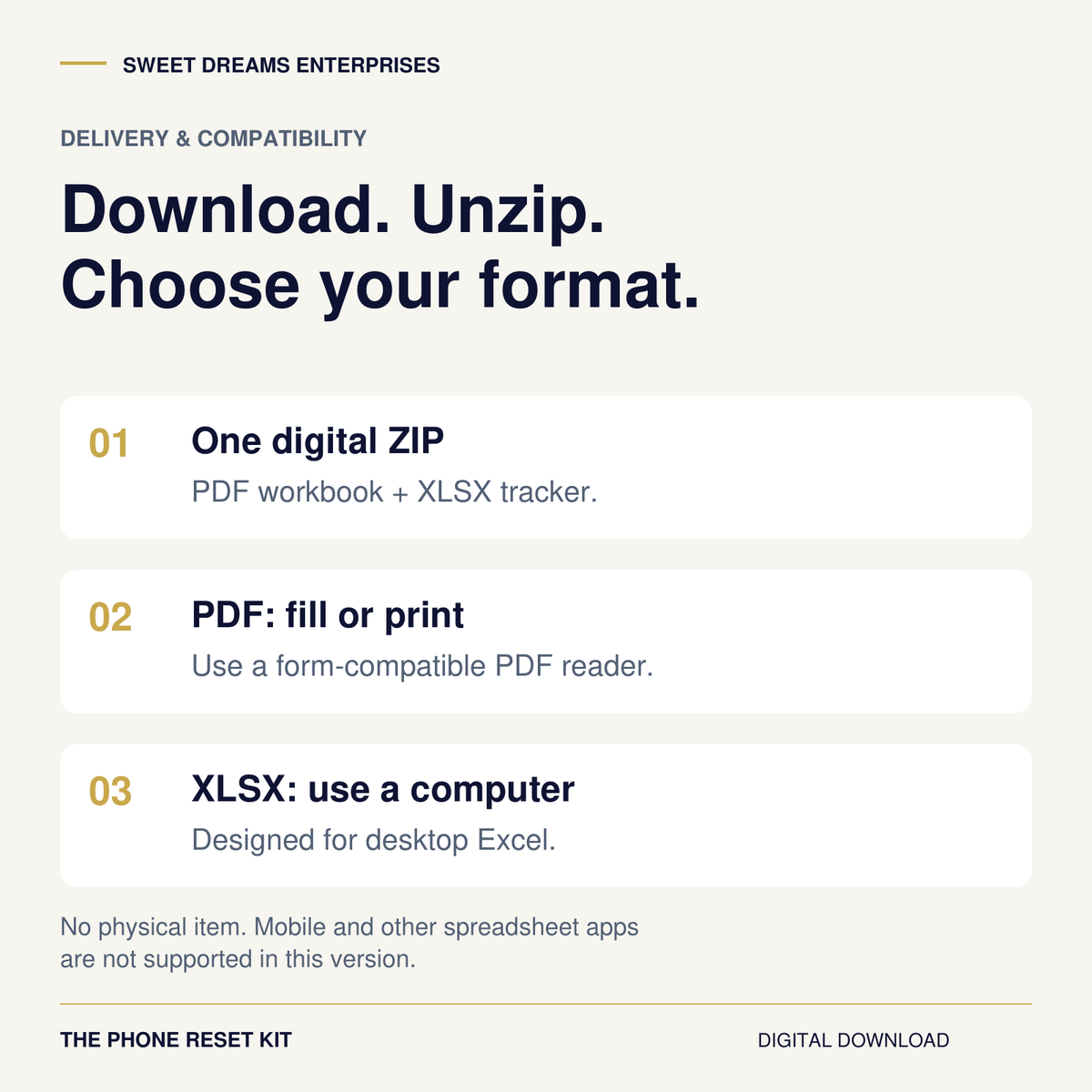
- Unzip the download on a computer. For digital PDF completion, use a PDF reader that supports form fields, then save a copy. Browser and mobile readers vary; printing is also supported.
- The tracker is an Excel .xlsx file designed for use on a computer. Other spreadsheet apps and mobile editing are not supported in this version. The printable workbook provides a complete alternative.
- Phone report labels vary by software version. Official iPhone and Android help links are included.
- Personal use only; no redistribution or resale. No coaching or custom spreadsheet setup is included.
Digital refunds & support
Digital purchases are generally final after files or download access are delivered or accessed. For missing or broken access, corrupted or unusable files, duplicate charges, or a product materially different from its description, contact support@sweetdreamsenterprises.com. We will review the issue and provide support, replacement, correction or a refund where appropriate.
The physical-product 60-day guarantee and return procedures do not apply to this digital kit. Your applicable consumer rights remain protected. Read the full Phone Reset Kit digital refund policy.


A practical seven-day experiment
Give the distracting parts a plan.
The moment you reach for an app is a useful place to start. Choose one scene, make one adjustment, and keep the essential jobs your phone already does.
This kit gives you prompts, a place to record what happened, and a structured review. You decide which rule deserves another week.
Look inside the actual files

Two files in one ZIP
Inside your download
- 12-page fillable and printable PDF workbook: quick start, trigger map, setup choices, seven-day log, worked example and a reusable review.
- Excel tracker (.xlsx): a blank Reset tab and fictional Example tab. Calculates baseline and test averages, the daily difference and percentage change, with checks for missing or invalid entries.
Two useful files in one ZIP. The workbook can be used on its own on paper; the spreadsheet makes the calculations easier. No account connection, macros or automatic monitoring.
A useful plan for the phone you already have
Notice. Change. Review.
Record three complete baseline days and identify the moment you open an app automatically.
Choose one setup adjustment while keeping essential calls, care, accessibility and work access available.
Log seven days, compare the numbers and decide whether to keep, revise or drop the rule.
The seven-day experiment starts after the baseline. If usage history is unavailable, observe three full days first.
Real product previews
See the tools you’ll actually use.
These are excerpts from the supplied workbook and blank Reset tracker. Select any image to inspect it at full size.


For adults who want a practical reset
Start small, keep the useful parts
Use three recent, typical full days from your phone's usage report. If history is unavailable, observe three days first, then begin your seven-day experiment. Record yesterday's minutes the next morning. Missed a day? Leave it blank and continue.
This kit suits adults who want a practical way to reduce automatic app opening without making essential phone access difficult. It is a planning tool, not treatment, an app blocker or a promise of a particular reduction. Example results are fictional.
A reusable process for reflection, without a promised screen-time reduction.
Digital delivery & compatibility
Before you buy
- This is a digital product. No physical item will ship.
- Unzip the download on a computer. For digital PDF completion, use a PDF reader that supports form fields, then save a copy. Browser and mobile readers vary; printing is also supported.
- The tracker is an Excel .xlsx file designed for use on a computer. Other spreadsheet apps and mobile editing are not supported in this version. The printable workbook provides a complete alternative.
- Phone report labels vary by software version. Official iPhone and Android help links are included.
- Personal use only; no redistribution or resale. No coaching or custom spreadsheet setup is included.

Digital refunds & support
Digital purchases are generally final after files or download access are delivered or accessed. For missing or broken access, corrupted or unusable files, duplicate charges, or a product materially different from its description, contact support@sweetdreamsenterprises.com. We will review the issue and provide support, replacement, correction or a refund where appropriate.
The physical-product 60-day guarantee and return procedures do not apply to this digital kit. Your applicable consumer rights remain protected. Read the full Phone Reset Kit digital refund policy.
The Phone Reset Kit
Make one phone habit more deliberate.
12-page PDF workbook + Excel tracker.
$17.00 USD one time. No subscription.
Start with one app. Keep what works.